Clients message and call just to book a visit, the administrator answers with a delay, and the schedule lives in three places. Evenings and weekends are the worst: nobody can book, so the request is lost. An online booking system for website visitors fixes this, but there are three very different ways to get one, and the wrong choice means a second migration within a year. This guide compares them by the criteria an owner cares about and ends with a launch plan that keeps current clients.
Signs you need an online booking system for website visitors
The need usually shows up as small daily losses, not as one big problem. If three or more of these sound familiar, bookings are costing you money:
- Clients can only book by phone or messenger during working hours.
- The administrator copies requests from chats into a calendar by hand.
- Double bookings happen several times a month.
- Different specialists keep separate calendars that nobody sees together.
- No-shows are common because nobody sends reminders on time.
Three options: hosted service, widget in your CMS, custom build
How the three compare
A hosted service gives you a ready booking page that you link from the site. The widget or plugin option places the booking form inside your own pages, and an appointment booking widget for website pages can often be live in a day. Then there is the custom build, software made around your rules, where custom booking system development, usually a web application development project, comes in.
| Option | Speed | Control of rules and data | Best for |
|---|---|---|---|
| Hosted service | Same day | Low | One specialist, simple services |
| Widget or plugin in the CMS | One to three days | Medium | Small team, standard rules |
| Custom system | Weeks | Full | Complex rules, own data, integrations |
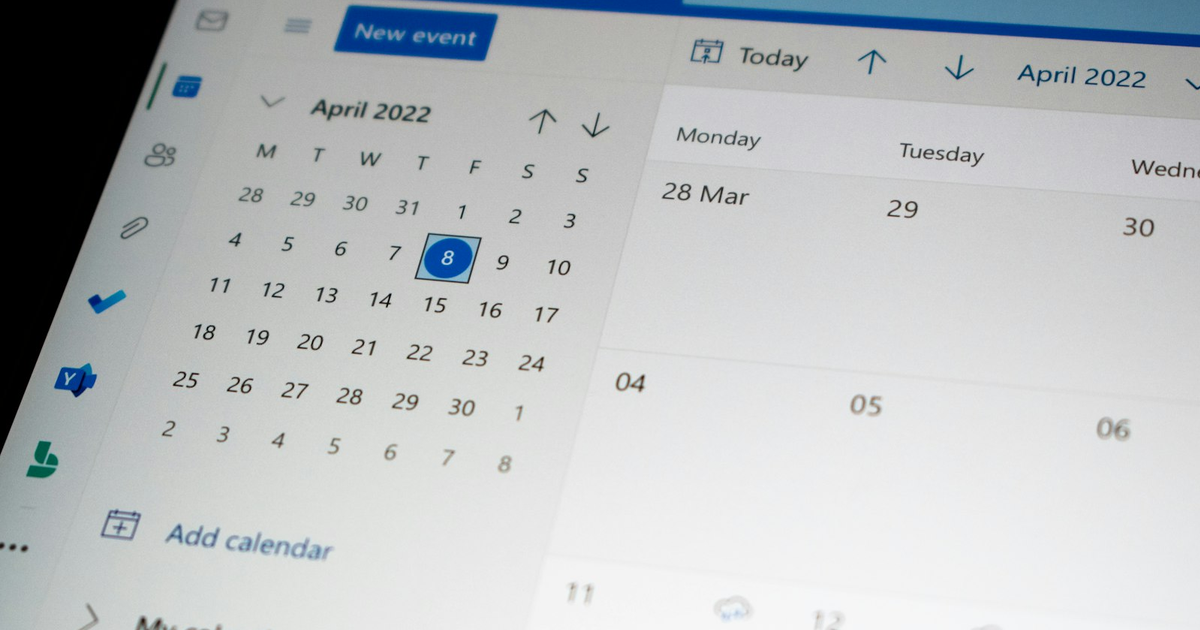
Whichever option you pick, the booking system must be tested against your real rules before it goes live. Online booking only works when the booking system is the single place where availability is decided, and clients see the same slots that the administrator sees.
Many vendors offer free entry plans, so the first cost is rarely the real cost. The real cost appears when you need a rule the product does not have, which is why the next sections list what to test before you commit.
What online booking must do: eight functions to require
Whatever you choose, an online booking system for small business use should cover these eight points:
- Real-time availability with no double bookings.
- Several specialists, rooms or other resources with their own schedules.
- Buffer time between visits and different durations per service.
- Time zones and daylight saving changes handled correctly.
- Prepayment or deposit and clear cancellation rules.
- Confirmations and reminders by email or SMS.
- A reschedule and cancel link for the client.
- A way to export or move your data out.
The list is the same for a clinic, a salon or a consulting practice. What changes is which points matter most, so mark your top three before you compare products. Online scheduling for small business website owners usually starts with points one, five and six, because clients and the calendar must agree on rules before anything else works.
Calendars, CRM and payment: where the integration breaks
Most failures appear at the joints. Booking system calendar integration is the first one, and its test should include a private event, a cancelled visit and a moved visit: the system must write to the calendar the staff already use and read busy time back, otherwise a private appointment collides with a client visit. Google’s Calendar API overview shows how deep this sync can go when you build it yourself. The second joint is the CRM: a booking should create or update a contact, otherwise the request stays in a separate list. The third is payment, where a failed charge must release the slot instead of blocking it.
Clients should never see a slot that the calendar has already filled under your rules. For each joint, ask the vendor or the developer one question: what happens when the connected system is unavailable? A good answer describes a retry and a visible error, not silence. If the reminder side is still manual, read our guide on appointment reminder automation.
Client data: GDPR, consent and health information
A booking form collects names, phone numbers and often a reason for the visit, so treat the gdpr online booking form as part of your privacy work, not as an afterthought. Under the GDPR a gdpr online booking form needs a clear purpose, a lawful basis and a short privacy notice next to the button. If the reason for a visit reveals health information, Article 9 on special categories of data applies and the rules are stricter. A hosted vendor acts as a processor for you, so a data processing agreement should be in place, and Article 28 on processors lists what it must cover. Ask a lawyer to confirm the basis for your country and your sector.
When a widget is not enough: five signs to build your own
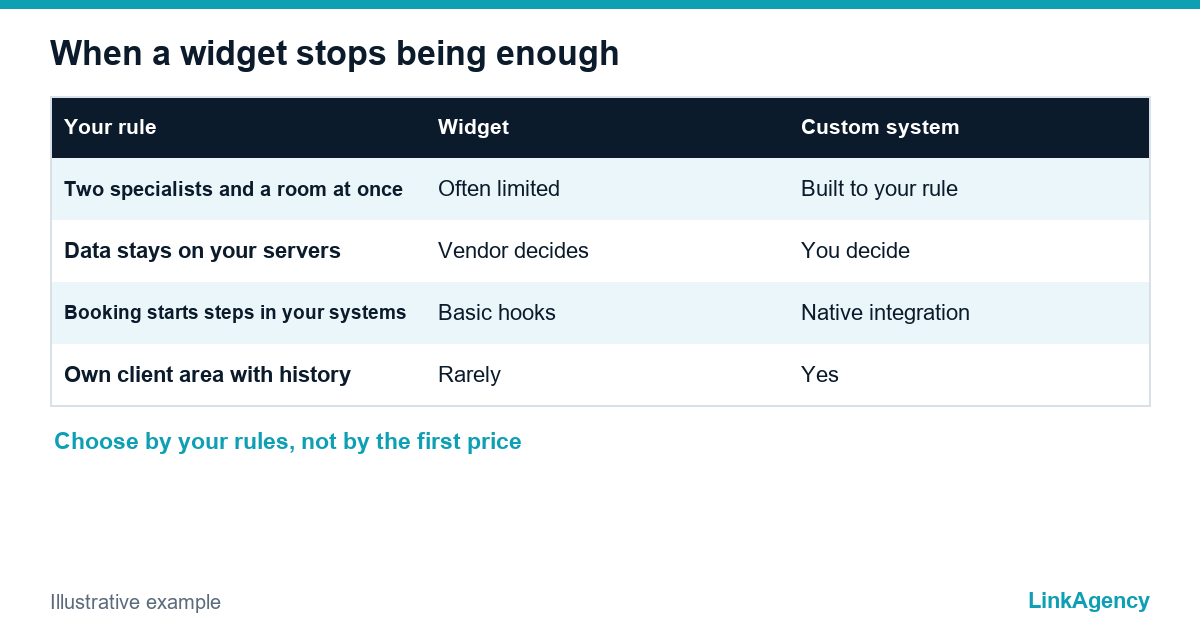
A widget stops being enough when your rules outgrow its settings, and custom booking system development starts to cost less than the workarounds. Watch for these signs:
- You need rules the product cannot express, such as a service that needs two specialists and a room at once.
- The booking must trigger steps in your own systems, not just send an email.
- Client data has to stay on your servers for legal or contractual reasons, and an online booking widget cannot promise that.
- The monthly fee per user now exceeds the cost of owning the software.
- You need your own client area with history, documents and payments.
At that point our web development services team can build the booking system around your rules and connect it to the site, calendar and CRM.
How to launch booking without losing current clients
- Map the current process and list every rule the administrator applies.
- Pick the option and run a two-week test of the booking system with one service, because online booking errors show up fast.
- Keep the phone and messenger working in parallel for the first month.
- Tell regular clients about the new link in their next confirmation.
- After a month, compare no-shows, double bookings and administrator time with the old numbers.
A calm launch keeps an online booking system for website visitors from hurting the clients you already have, and a good online scheduling for small business website setup stays simple on the first day.
An online booking system for website visitors: a free process review
Describe how clients book today. We will recommend one of the three options, list what to connect (calendar, CRM, payment) and warn you about data protection steps. If a custom build fits, our web development services team can scope it.
- a recommended option with reasons;
- a list of integrations to connect.
Leave a request and we will reply within one working day.

Frequently Asked Questions (FAQ)
Is a free appointment booking widget for website pages enough?
Often yes, at the start. A free plan covers a single specialist and simple services. Move on when you need rules the widget cannot express, integrations with your own systems or full control of client data.
How long does it take to add an online booking system for website visitors?
A hosted booking page or a plugin can be live in one to three days. A custom system takes weeks, because rules, integrations and testing must be agreed first.
Which booking system calendar integration checks matter most?
Calendar sync comes first, then the CRM and payment. For each one, ask what happens when the connected system is unavailable. A good answer includes a retry and a visible error.
Does a gdpr online booking form need consent?
It needs a clear purpose, a lawful basis and a privacy notice next to the button. Health-related reasons for a visit fall under stricter rules. Ask a lawyer to confirm the basis for your country.
How do I avoid double bookings?
Use one source of truth for availability and make the system read busy time from every calendar your staff use. Test it with two people booking the same slot at the same moment.
When does custom booking system development pay off?
When your rules are complex, client data must stay on your servers, or the per-user fee exceeds the cost of owning the software. Count the next two years before you decide.
Can LinkAgency recommend and build a booking system?
Yes. We review how clients book today, recommend an option and list what to connect. If a custom build fits, we scope and build it. The review is free. Leave a request and we reply within one working day.