On 30 October 2026, four of the biggest AI companies agreed on one thing: a single line in a website’s robots.txt file should be enough to say “do not use my pages to train your models”. For an owner, that headline raises an old question in a new form. Should I block AI crawlers, or does blocking AI crawlers make the company invisible in the places where customers now look for suppliers? Crawlers from AI firms are easy to block technically, but the business question is harder. This guide separates three different kinds of access, gives a decision matrix by page type and a 30-day plan, and explains where the new standard stops.
Should I block AI crawlers? What the four companies announced and when it works
According to SiliconANGLE’s report of the announcement, Google, Microsoft, Anthropic and OpenAI will support a shared robots.txt entry that blocks all their scrapers collecting data to train generative models. A draft of the standard has gone to the IETF. Until today, a site had to list each provider and each of its crawlers one by one, which is why a gptbot robots.txt rule alone never covered everything.
Timing differs. OpenAI and Microsoft say support will come in the coming months, Google says next year, and Anthropic gave no date in that report. Meta backs the idea but has not committed to build it. In short, the standard is a draft, not yet a switch you can flip.
Training, AI answers and search: three different kinds of access
Why one rule for every bot fails
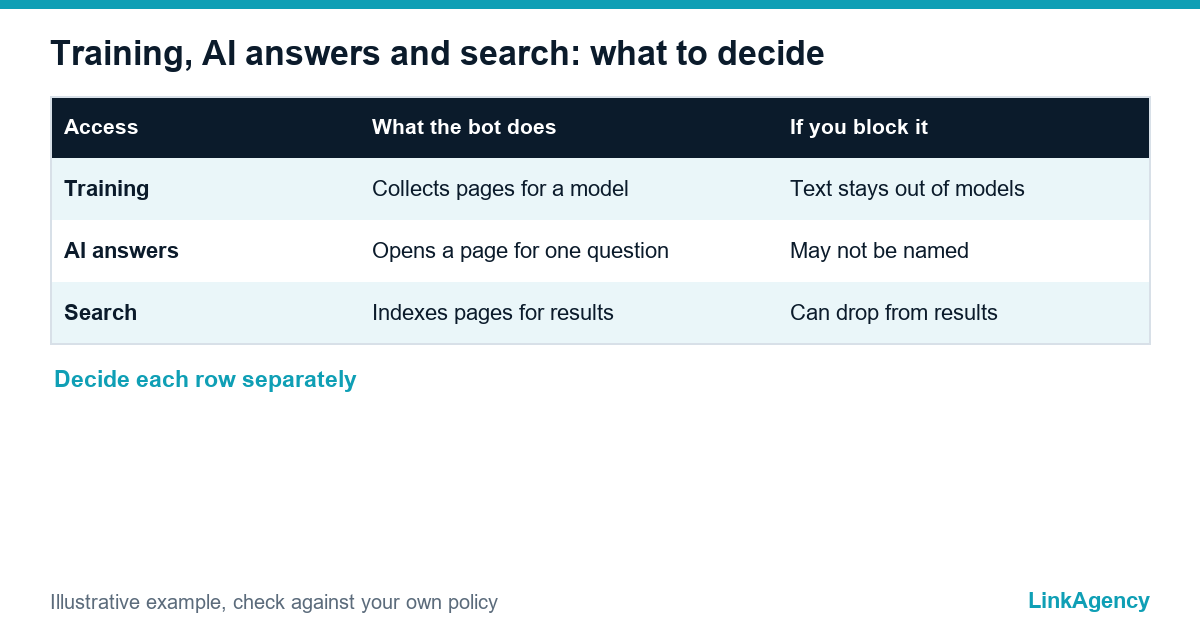
Most confusion comes from treating every bot alike. There are three jobs, and each has its own consequences for the business.
| Kind of access | What the bot does | If you block it |
|---|---|---|
| Training | Collects pages to teach a model | Your text stays out of future model versions |
| AI answers (grounding) | Opens a page to answer one user’s question | You may not be named or linked in that answer |
| Search | Indexes pages for ordinary results | You can fall out of search results |
Microsoft says it will add a separate AI Grounding setting for the second row. The new shared entry covers only the first. A cautious owner therefore decides each row on its own instead of one yes or no.
What you lose if you block everything and what you risk if you open everything
Blocking AI crawlers across the board can remove you from AI search and, if a crawler is mixed-use, from ordinary search too. Cloudflare explains that a mixed-use bot does indexing and training with one identity, so its “Block” setting now also affects search, while a separate “Disallow AI Training” option keeps you in search. Opening everything has a price as well, and some owners would rather block AI bots that only take: your pricing logic, paid guides and original research may end up inside models that never send you a visitor.
Decision matrix: which pages to close to training and which to keep open
- Commercial pages, services and case studies: keep open, since they win enquiries when AI answers mention you.
- Paid expertise, courses and member content: close to training, and put behind a login.
- Knowledge base and help articles: open if they bring customers, closed if they give away what you sell.
- Prices and availability: open to search, decided case by case for AI answers.
- Staff and customer data: never in public pages, and never left to a robots.txt line, because blocking AI crawlers does not hide a public URL.
Should you block AI crawlers from paid expertise but not from services? Yes, and the list shows how. Treat it as a starting point. Our guide to zero click search shows why visibility inside answers matters, even when clicks fall.
What to check in robots.txt, your CDN and hosting settings now
A five-step check
- Open yourdomain.com/robots.txt and read it as a stranger would. A clean robots.txt for ai bots names each user agent and its purpose.
- Look for an old “Disallow: /” left over from a test site.
- Check whether your CDN or firewall blocks AI bots by default, because that can override robots.txt.
- List which AI crawlers you want, such as a gptbot robots.txt rule set for training and a search bot for answers.
- Write the decision down with an owner and a review date.
The documentation of each provider names its bots and their purpose, for example OpenAI’s list of bots. If you want to block ai training robots.txt is where the rule goes today, one provider at a time. A robots.txt for ai bots is only as good as its review date. Block the training bot and allow the search bot only if you mean it.
Limits of the standard: who it does not bind and what it does not protect
The AI crawler opt-out standard is a polite request, not a lock. Nobody checks compliance, and the draft names no penalties. Even under the AI crawler opt-out standard it does not stop scrapers outside the four companies, does not remove what was already collected, and does not cover models that do only non-generative work. Treat the opt-out standard as one layer next to contracts, login walls and a copyright notice. For rights in the EU and the US, ask a lawyer about the text and data mining exception and your terms of use, and keep paid content behind a paywall.
A 30-day plan: decide, implement, monitor
- Days 1 to 7: map your pages into the matrix and agree the policy with marketing and legal.
- Days 8 to 14: change robots.txt, CDN and hosting rules, and test them on a staging copy.
- Days 15 to 21: check search and AI answers for your brand and key services.
- Days 22 to 30: review logs for blocked bots, then set a quarterly check.
So, should I block AI crawlers? Decide page by page. The AI crawler opt-out standard’s exact wording is still moving, so before you block AI crawlers for good, keep a calendar reminder to revisit it when Microsoft and OpenAI ship support.

Free check of your site and AI bots
Our SEO services include a quick SEO audit focused on bots: what is open and closed in robots.txt, CDN and hosting, and which pages AI search and training can see.
Should I block AI crawlers? Get a free check of your site and AI bots
We review robots.txt, CDN and hosting rules, show which pages AI search and training can reach, and recommend what to open and what to close for your business. No obligation.
- review of robots.txt, CDN and hosting settings;
- page matrix and a short action list.
Leave a request and we will reply within one working day.

Frequently Asked Questions (FAQ)
Should I block AI crawlers on a business website?
Not all of them. Separate training bots from bots that fetch pages to answer a user and from search bots. Many businesses close training, keep search open and decide AI answers page by page.
What did OpenAI, Google, Microsoft and Anthropic announce?
They said they will support one robots.txt entry that blocks scraping for training generative models, and a draft went to the IETF. Microsoft and OpenAI plan support in the coming months, Google next year.
Will blocking AI training remove my site from search?
The shared entry targets training only. Some crawlers do several jobs, so check each provider’s documentation and your CDN settings before closing anything that search depends on.
What is AI grounding?
It is the moment an AI tool opens your page to answer a user’s question. Microsoft plans a separate setting for it, so training and answers can be controlled independently.
Does the opt-out standard protect my content from every scraper?
No. It is a request that compliant companies honour, with no stated penalties or independent checks. Use logins, contracts and legal notices for content that must stay protected.
What should I check in robots.txt today?
Read the file as a stranger, remove old blanket blocks, see whether your CDN blocks AI bots by default and write down which bots you allow and why.
How can LinkAgency help with AI bots and robots.txt?
Leave a request with your site address. We run a free check of robots.txt, CDN and hosting, show what AI search and training can see and recommend what to open or close.