A business pays for advertising every month, yet the account that holds two years of campaign history may belong to someone else. When the agency relationship ends, the owner learns what was never theirs: audiences, conversion settings and the payment method. This guide is a one-hour checklist for owners without technical skills. It explains who owns your Google Ads account, how an agency is usually connected, what each access level allows, whose card pays, and what to write into the contract. Facts about Google’s rules come from Google Ads Help; opinions of agencies are labeled as opinions.
Who owns your Google Ads account and why it matters more than it seems
Many articles say that whoever created the account owns it, and others say whoever pays. Google’s own help page uses the word differently: Google Ads account ownership is a link between a client account and a manager account, and a client account can only have one owner. The client account still keeps its data and can remove ownership by unlinking. So the practical question is not who made the account, but who holds admin access and who sits above it. If that is only your agency, you depend on its goodwill, and your campaign history, audiences and tracking depend on it too.
Three common setups: your account, the agency’s manager account, an account built for the agency
In the first setup you created the account with your own email and added the agency as a user. The second puts the account under the agency’s manager account, and the agency may hold ownership. The third has the agency open the account for you in its own login and bills you, which is the weakest position for a client. A Google Ads manager account is a normal tool, and Google says that a manager created account makes that manager the owner automatically, while a linked existing account does not. What decides your risk is whether you also hold admin access.
Access levels: Admin, Standard and Read-only in plain words
Google lists five access levels: Email-only, Billing, Read-only, Standard and Admin. Standard users can edit campaigns. Only Admin can give access, change levels, accept or reject manager link requests and unlink managers. For the owner, the safe minimum is Admin access under your own email, while the agency works at the Standard level. Keep two admins, because Google warns that with one administrator you can lose access to your tags if that person becomes unavailable.
- Log in with your own email and open Admin, then Access and security.
- Check that your email has Admin, not Standard or Read-only.
- Open the Managers tab and note who is linked and who is marked as owner.
- Add a second admin from your company.

Payment profile: whose card pays and why you should see it
Look at billing before anything else. If the invoices go to the agency and you only see a line in its report, the payment profile may be the agency’s. Google says that an account on monthly invoicing stops serving after you unlink the paying manager, so change the billing setup before any change of agency. Ask for a payment method in your company name, or a clear written arrangement, and keep the invoices.
Conversion tracking and analytics: where goals and tags must live
Goals and tags are the part of an account that is hardest to rebuild. Google explains that a cross-account conversion tag from a manager stops recording conversions for clicks after the account is unlinked, and remarketing lists that rely on a shared tag stop filling. So check where your conversion tracking is set up. It should live in your account, with your Google Analytics property and Tag Manager container under a login your company controls, so a change of agency does not wipe the measurement.
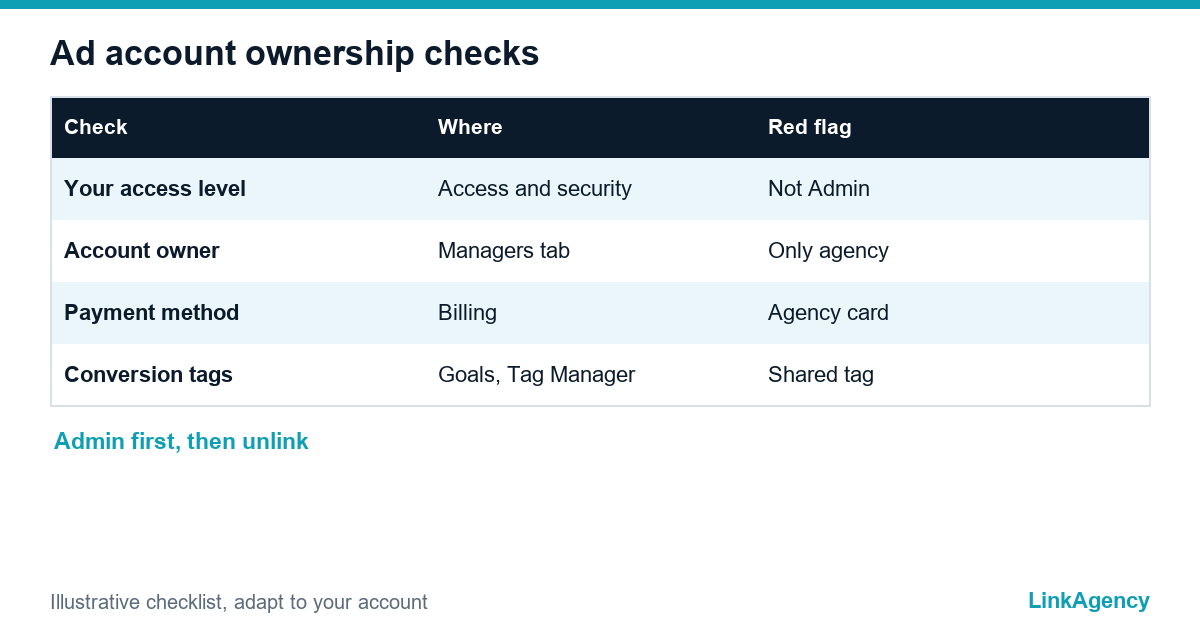
| What to check | Where | Warning sign |
|---|---|---|
| Your access level | Admin, Access and security | Standard or Read-only |
| Owner of the account | Managers tab | Only an agency manager listed |
| Payment method | Billing | Card or invoices belong to the agency |
| Conversion tags | Goals, Tag Manager | Shared tag from the agency manager |
| Admins | Access and security | Only one admin |
What the contract must say: handover of the account, data and shutdown dates
Put the agreement in writing before the work starts. The contract should say that the account, its data, audiences and creative belong to your company, that you hold admin access from day one, and that on exit the agency unlinks within an agreed number of days, hands over exports and reports and does not delete anything. Ask your lawyer to check the wording for your country. For help with the agreement and the structure, our business services consulting can review it with you.
Four clauses worth asking for
Ownership of data and audiences, your Admin seat from day one, unlinking on exit, and a handover of exports.
How to move to a clean setup without stopping the ads
Do it in a fixed order. First, make yourself an admin and add a second one. Next, move billing to your company. Then check which tags and lists come from the agency manager and replace them with your own, before any unlinking. Only then unlink, and keep the campaigns running during the change. If an agency refuses to give admin access, that is a warning sign, and Google support is the next step. A team that runs Google Ads management in your own account makes this easy, and a performance marketing agency should be happy to work that way.
Who owns your Google Ads account: free audit of your setup
We will check access levels, the owner, billing and tracking in your account and tell you what to fix first. The review takes about an hour of your time.
- access and ownership map of the account;
- list of fixes in order of risk.
Send a request and we will reply within one working day with a free audit plan.

Frequently Asked Questions (FAQ)
Who owns a Google Ads account if an agency set it up?
It depends on how it was set up. Google describes ownership as a link to a manager account, and the client account can unlink at any time if it has an admin. Check the Managers tab and make sure your own email has Admin access.
Which access level should a business owner have?
Admin, under your own email. Google says only Admin can give access, change levels and unlink managers. The agency can work at the Standard level, which lets it edit campaigns.
Does campaign history disappear if I unlink my agency?
No. Google says the individual account keeps its campaign history and features after unlinking. What can stop is a shared conversion tag and shared remarketing lists, so replace them before you unlink.
Whose card should pay for Google Ads?
Ideally your company’s. On monthly invoicing, Google says the account stops serving if you unlink the paying manager, so change the billing setup first.
What should the contract with an agency say about the account?
That the account, data, audiences and creative belong to your company, that you hold admin access from day one, and that on exit the agency unlinks and hands over exports within agreed days. Ask a lawyer to check it.
What if my agency will not give me admin access?
Treat it as a warning sign. Ask in writing first, then use Google Ads support and the access evidence you hold, such as invoices and your company details. Rebuilding a clean account is the last option.
How can LinkAgency help with account ownership?
Send a request with your account ID. We run a free audit of access, ownership, billing and tracking and give you a list of fixes in order of risk.