Every week a manager spends half a day collecting numbers from the CRM, accounting, the warehouse and a few spreadsheets. They combine them by hand and send the owner a report that is already out of date. The figures differ between reports, and decisions are made by feel. This guide is about the owner’s management report, not marketing attribution and not BI for its own sake: which 8 to 12 indicators you really need on one page, where to take them from and how to build a KPI dashboard that updates itself. Automated reporting should replace the copy and paste, not the owner’s judgment.
Why the Friday spreadsheet hurts more than it seems and what a KPI dashboard changes
A manual report costs hours of paid work, but the bigger cost is trust. When two people calculate margin differently, the meeting argues about numbers instead of decisions. A report that arrives on Friday describes last week, so problems are found after they have grown. A KPI dashboard that refreshes by itself shows the current state and lets a manager open the details when something looks wrong. The aim is fewer meetings about whose number is right. The weekly report is no help if no one agrees on which KPI the dashboard should lead with.
Which KPIs the owner needs on one page
Start from decisions, not from data
- Cash position and receivables for the next four weeks.
- Revenue and margin by product, client or project.
- Sales pipeline: new leads, win rate and stuck deals.
- Stock turnover and items at risk of running out.
- Delivery or service quality: delays and complaints.
Pick 8 to 12 indicators that change a decision. Every KPI needs a name, a source and an owner, or the dashboard turns into a report nobody trusts. If you cannot say what you would do when an indicator moves, remove it.
Where the data comes from: CRM, accounting, warehouse, ads, spreadsheets
Most of the numbers already exist in your systems. The CRM holds leads and deals, accounting holds invoices and payments, the warehouse system holds stock and shipments, and the ad accounts hold spend. Spreadsheets fill the gaps. Connect them through ready connectors or an API where possible, and fall back to scheduled exports where it is not. Write down for each indicator which system is the source, so a number is never “from somewhere”. Microsoft keeps a list of Power BI data sources, which helps to check whether your systems have a ready connector. Management reporting works only when the sources are named.
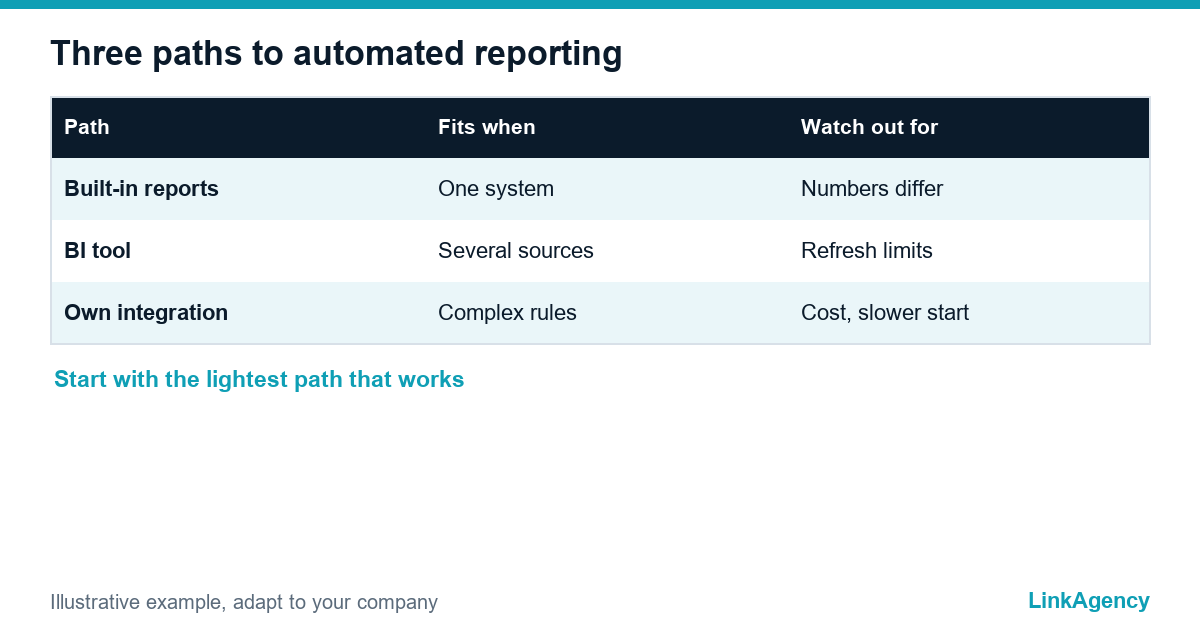
Three paths to automation: built-in reports, a BI tool, your own integration
| Path | Fits when | Watch out for |
|---|---|---|
| Built-in reports of each service | One system holds most of the data | Numbers from different systems still do not meet |
| BI tool such as Looker Studio or Power BI | Several sources, a small team, fast start | Refresh limits, access rights, who maintains it |
| Own integration with a data store | Complex rules, many systems, strict control | Higher cost and a longer start |
Whichever path you choose, the KPI dashboard stays the visible result, and reporting automation is the work behind it. On Looker Studio vs Power BI, the practical differences are licensing, data sources and refresh. Microsoft’s documentation on scheduled refresh says Power BI Pro allows up to eight scheduled refreshes a day and Premium per user up to 48, so check whether that fits the pace your team needs. When no ready connector exists, an integration that is not no-code may be the sensible next step.
One version of the truth: definitions and owners
Agree on definitions before building charts. What counts as a lead, a sale, margin or an overdue invoice? Write each definition once, name one owner and keep the formula in one place. This single source of truth stops the argument about whose spreadsheet is right. Without it, even the best management report turns into forty charts and no answers.
How to roll it out in four to six weeks without stopping current work
- Week 1: list the decisions the owner makes and choose the first 8 to 12 KPIs.
- Week 2: write the definitions, assign owners and map each source.
- Weeks 3 and 4: connect the sources and build the first page next to the old report.
- Week 5: compare both reports for two cycles and fix the differences.
- Week 6: switch off the manual report and agree who maintains the dashboard.
Run the old and the new report in parallel for a while. The team will trust the new one only after it matches reality.
Mistakes: 40 charts, dirty data, access and GDPR
- Forty charts on one screen: nobody reads past the first row.
- Dirty data: a dashboard shows bad numbers faster than a spreadsheet does, so clean the CRM first.
- Open access: not everyone should see margin or salaries, so set roles from day one.
- Personal data: if the dashboard shows customers by name, apply the same GDPR rules as for the source system.
- No owner: a refresh that fails for four days in a row goes unnoticed, so someone must watch it.
If you also build internal tools, our web application development service covers custom screens on top of the same data.

Order a free review of your weekly report and its data sources
You can order a reporting review as a short, separate task. We go through the current weekly report, find the data sources and show which indicators can refresh automatically in the first stage. Our business process automation team builds the connections and the dashboard.
Free consultation on automated business reporting
We review your current weekly report, find the data sources and show which indicators can update automatically in the first stage. You can also order a reporting review as a separate task.
- a map of indicators, sources and owners;
- a four to six week plan for the first KPI dashboard.
Leave a request and we reply within one business day.

Frequently Asked Questions (FAQ)
How many KPIs should an owner’s dashboard have?
Eight to twelve on one page is a good start. Each one should change a decision, have a clear definition and a named owner. If you cannot say what you would do when it moves, remove it.
Looker Studio or Power BI for a small business?
Both work for several sources and a small team. Compare licensing, the connectors you need and refresh limits. Power BI Pro, for example, allows up to eight scheduled refreshes a day according to Microsoft.
Where should the data for the dashboard come from?
From the systems that already hold it: CRM for deals, accounting for invoices and payments, the warehouse system for stock, and ad accounts for spend. Spreadsheets fill the gaps.
How long does it take to replace a manual report?
A first page with 8 to 12 KPIs can be planned for four to six weeks, with the old and new reports running in parallel until the numbers match.
What is a single source of truth in reporting?
One written definition and one owner for each indicator, with the formula kept in one place, so every report uses the same numbers.
Does a reporting dashboard raise GDPR concerns?
It can if it shows people by name. Apply the same rules as for the source system, limit access by role and show aggregated numbers where names are not needed.
How do I order a reporting review from LinkAgency?
Leave a request with your current weekly report. We find the data sources and send a short plan showing which indicators can update automatically first, with a quote for the work you choose.