Rules sit in one folder, answers live in the heads of two senior people, and old chats hold the rest. A new hire asks the same question for the third time, the manager gets pulled away, and mistakes repeat. An AI knowledge base for small business fixes that only if it is introduced in the right order. This guide is a practical plan: which documents to take first, how to keep one person from seeing another’s data, why every answer needs a link to its source, and how to test the value in a four to six week pilot.
AI knowledge base for small business: signs that it is time
You do not need an internal AI assistant for company documents because it is fashionable. You need it when the same costs keep showing up. Watch for these signs.
- People ask colleagues the same questions every week.
- A new employee needs months before answering clients alone.
- Work stops when one experienced person is on holiday.
- Different people give different answers about the same policy.
Knowledge sits in a few heads, and for a small business that is a risk. If two or three of these signs match your company, a pilot of an AI knowledge base for your team is justified.
What to turn into a knowledge base: rules, instructions, templates, client FAQs
Do not feed the system everything you have. Start with documents that people actually look for and that rarely change: internal rules, step-by-step instructions, response templates and the questions clients ask most. A chatbot trained on company documents is only as good as those documents, and AI knowledge base software is just a search over them.
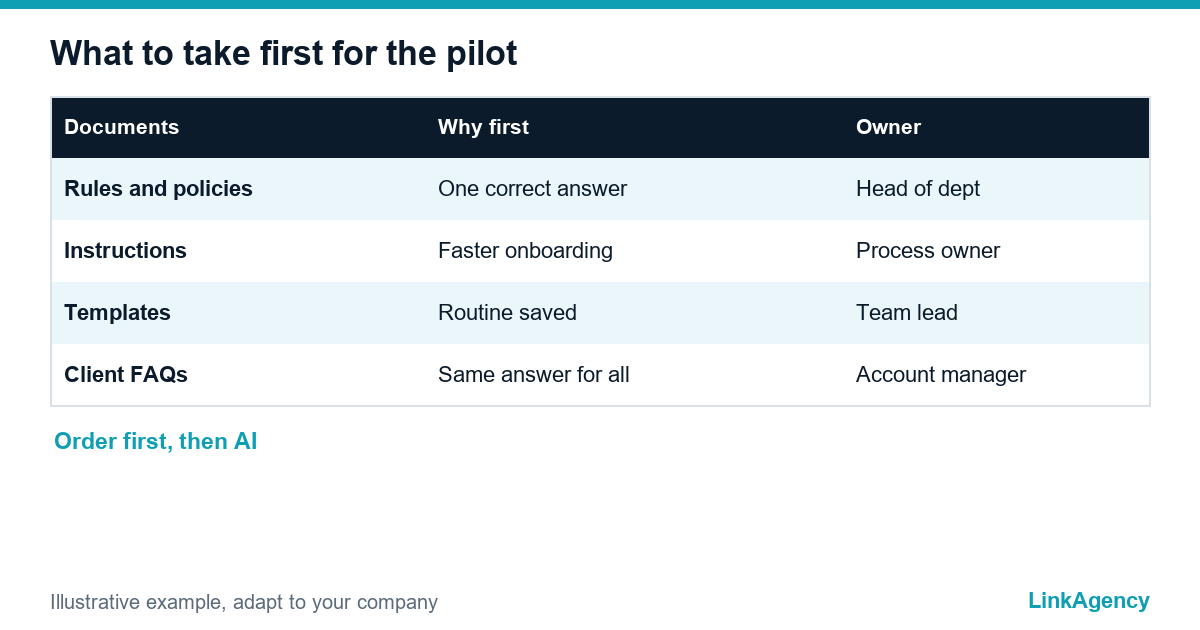
| Document type | Why take it first | Who owns it |
|---|---|---|
| Rules and policies | Same questions, one correct answer | Head of department |
| Step-by-step instructions | Speeds up onboarding | Process owner |
| Templates and checklists | Saves time on routine work | Team lead |
| Client FAQs | Same answer for every manager | Account manager |
Choose 20 to 30 documents for the pilot. Every extra file adds noise and makes the check of answers harder. Clean files are what makes AI search for internal documents useful.
Preparing documents: freshness, owners, removing outdated files
Before any AI knowledge base for a small business goes live, someone has to clean the folders. A model cannot tell which of three versions of a price list is the right one. Give every document an owner, a date of the last review and a status, and delete or archive the outdated ones.
- Collect the 20 to 30 documents chosen for the pilot.
- Assign an owner to each and mark the date of the last check.
- Remove duplicates and old versions.
- Fix contradictions between documents before the assistant finds them.
- Agree who updates a document when a rule changes.
This step is dull, and it decides most of the quality. If it is skipped, the small business AI knowledge base answers from old files with full confidence.
Access rights and GDPR: who sees what and where the data is stored
An AI knowledge base for your team must respect the same access rules as your folders. A sales manager should not read payroll files just because the assistant can find them. The assistant has to check the rights of the person who asks, not only the content of the question.
In the EU, the GDPR sets the frame: collect only the data you need, limit access and keep data secure. Decide where the documents are stored, which provider processes them, and whether personal data of clients or staff enters the system at all. Confirm the details with a lawyer. The OWASP list of risks for LLM applications is a useful checklist for the technical side, including leaks of sensitive information.
Answer with a source: how to reduce invented answers
Employees will trust an AI knowledge base for small business teams only if they can check it. Set one rule: every answer shows the document it came from, and the assistant says “I did not find this” when the documents do not contain the answer. AI search for internal documents works best when it quotes the passage and links to the file, so the employee opens the original in one click. That is how a chatbot trained on company documents earns trust.
What to log
Keep a short log of questions the assistant could not answer. This list shows which documents are missing and who must write them, and it is the cheapest quality report you will get.

A pilot in one department: what to measure and when to stop
Run the pilot on one department for four to six weeks. Choose a team with many repeated questions, for example support, sales operations or onboarding. A small business AI knowledge base is judged by simple measures: how many questions the assistant answers with a correct source, how long a new hire needs for first tasks, and how many times colleagues are interrupted. It helps you onboard new employees faster, but only if the answers are right.
Agree the stop rule in advance. If the share of correct answers stays low after the documents are cleaned, stop and fix the documents before you widen the scope. Our guide to measuring AI ROI explains how to turn the pilot numbers into a business case, and our AI agent development team can build the assistant on your documents with access control and sources, while AI workflow automation connects it to your daily tools.
When an AI assistant is not needed and tidy folders are enough
A company of eight people with thirty stable documents may need nothing more than a clear folder structure, one owner and a search that works. The assistant makes sense when the volume of documents and questions grows past what people can keep in their heads. Every small team needs knowledge it can find, and the business owner must know who keeps it fresh. Start with order, then add AI. Order is cheap.
AI knowledge base for small business: free consultation before the pilot
Together we will choose 20 to 30 documents for the pilot, set the access rules and agree what to measure. No obligations.
- list of documents and owners for the pilot;
- access and GDPR risks, with a plan for sources in answers.
Leave a request and we will reply within one working day with a free consultation plan.

Frequently Asked Questions (FAQ)
What documents should an AI knowledge base start with?
Start with 20 to 30 documents people look for often and that rarely change: rules, step-by-step instructions, templates and client FAQs. An AI knowledge base for small business works better on a small clean set than on every file you have.
How do I stop staff seeing data they should not?
Connect the assistant to your existing access rights, so it checks who is asking before it searches. An AI knowledge base for your team, with its own internal AI assistant for company documents, must follow the same permissions as your folders. Confirm the details with a lawyer.
Can a chatbot trained on company documents invent answers?
Yes, if it is allowed to answer without a source, and hallucination is the main risk. Require every answer from your AI knowledge base software to show the document it came from, and let the assistant say it did not find the answer. This is the main protection.
How long should a pilot last?
Four to six weeks on one department is enough to see whether answers are correct, whether new hires work faster and whether colleagues get fewer interruptions. Agree the stop rule before you start.
Do I need an internal AI assistant for company documents at all?
Not always. A company with few stable documents may only need tidy folders and one owner. A small business AI knowledge base pays off when documents and repeated questions grow past what people remember.
Is AI search for internal documents safe under GDPR?
It can be, if you limit the data, control access, know where the documents are processed and keep records. Check the details for your case with a lawyer before personal data enters the system.
How can LinkAgency help with an AI knowledge base?
Leave a request with a description of your documents and teams. We give a free consultation, choose 20 to 30 documents for the pilot with you and describe the access risks before any development starts.