A dispatcher takes a call, writes the address on a sticky note, phones a technician, and later someone retypes the job into an invoice. It works until the team grows past a handful of people. Then visits get missed, photos get lost and invoices go out a week late. A field service app puts the job, the route, the photos and the client’s signature in one place on the technician’s phone. This guide is for owners deciding whether a ready system is enough or whether to build one for their team, and what to settle before any code is written.
Field service app: eight signs your team has outgrown calls and paper
- Dispatch is one person with a phone and a notebook.
- Technicians call the office to ask the next address.
- Photos of finished work live in personal messengers.
- Invoices wait for paper forms to come back.
- You cannot say which visits repeated for the same fault.
- Parts are written down after the visit, not during it.
- Clients ask for an arrival time and nobody knows it.
- New staff learn the process by shadowing a colleague.
Three or more of these mean the process, not the people, is the bottleneck. A good app for field service teams fixes the process first. Short. Our guide to web app vs mobile app vs PWA helps to pick the format once you decide to go digital.
Ready system or your own app: a 30-minute decision
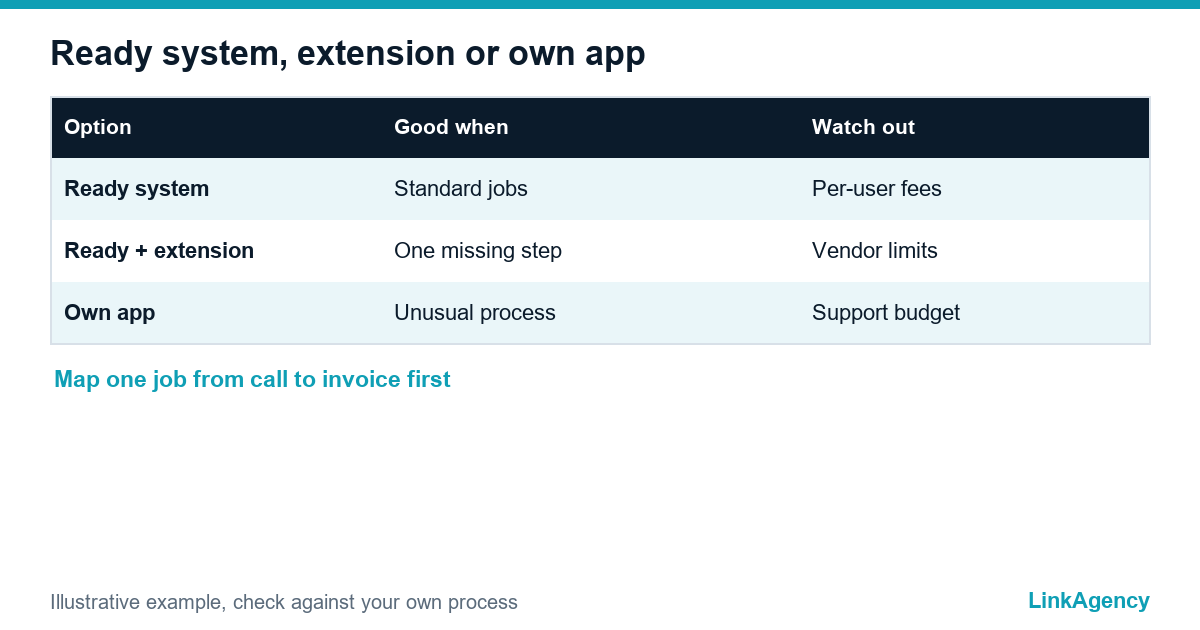
Ready platforms such as Jobber, ServiceTitan or Salesforce Field Service cover most small teams. A custom app makes sense only when your process is the thing that sets you apart. Field service management software vs a custom app comes down to this table. Even a simple digital work order app saves hours.
| Option | Good when | Watch out for |
|---|---|---|
| Ready system | Standard jobs, standard invoices | Per-user fees and fixed workflows |
| Ready system plus extension | One missing step, such as a special report | Limits of the vendor’s integration tools |
| Own app | Unusual process, strict data rules, many integrations | Budget for support after launch |
Walk one real job from the first call to the paid invoice and mark every step a ready system cannot do. If the list is short, extend a ready tool. If it is long, a field service mobile app built around your process is worth pricing.
What the first version needs: five features and nothing more
An app for your field team should do five things well in its first release. More features can wait for the second. A digital work order app is the core of it.
- A work order with address, contact, task and status.
- A daily list and route, so the technician sees the next stop.
- Photos before and after the work, attached to the order.
- A client signature or confirmation on the phone.
- Offline mode that saves data and syncs when the signal returns.
Why offline matters in a mobile app for field technicians
Basements, rural roads and thick-walled buildings kill the signal. If the app needs a connection to close a job, technicians will go back to paper. A mobile app for field technicians must store the order locally and send it later.
Integrations: CRM, accounting, parts stock and invoices
A field service mobile app is only as useful as the systems behind it. Connect it to your client base, to accounting so the invoice is created from the finished order, and to parts stock so used items are written off on site. Our article on custom CRM vs off-the-shelf explains when it is worth building the client base too. Start with one integration, usually invoicing, and add the rest after launch. The same logic suits an app for your field team that grows in small steps.
Geolocation and employee data: GDPR and works councils
Tracking a technician’s position is personal data. Under the General Data Protection Regulation, you need a lawful basis, must collect only what the purpose requires and should keep it no longer than needed. Many field service apps record location all day, which is hard to justify. Record it at the job instead. The UK regulator publishes guidance on monitoring workers. In Germany, a works council may have a say: section 87 of the Works Constitution Act covers technical systems that can monitor staff. The rules differ by country, so check the wording with a lawyer before launch.
How to roll out the app without technician sabotage
Many field service apps fail here, not in the code. Technicians reject tools that look like surveillance. Involve two or three of them in the design, show what the app saves them, such as no evening paperwork, and say plainly which data you do not collect. Start with a small group for a few weeks, fix what annoys them, then extend to everyone. Keep the paper form available for the first period, so a bug never stops a visit.
After launch: what a job scheduling app should change
Before you sign anything, write down how many visits a technician makes in a day, how long an invoice takes to leave the office and how often the same fault brings a second visit. Measure three things before and after. Visits per technician per day show whether routes got better. Time from finished job to sent invoice shows whether the paperwork moved. Repeat visits for the same fault show quality. Every service visit in the field should show up in the app within minutes. Compare them with the numbers you wrote down before launch, not with a vendor’s promises. A job scheduling app that does not move at least one of them needs a fix, not more features.

Where to start with your own app
If you decide to build, begin with the call-to-invoice map and a list of five first-version features. Our team that provides mobile app development services can price it and show a prototype before you commit.
Free consultation: is a field service app right for your team
We walk through your path from call to invoice and recommend a ready system, an extension or your own app, with the scope of the first version. No obligation.
- map of the path from call to invoice;
- recommendation and first-version scope.
Leave a request and we will reply within one working day.

Frequently Asked Questions (FAQ)
What should a field service app do in its first version?
Show a work order, give the technician a daily list and route, attach photos, collect a client signature and work offline. Anything beyond these five items can wait until real users have tried it.
Should a small business buy ready software or build a custom app?
Most small teams should start with a ready system. Build your own only if your process is a competitive advantage, you have strict data rules or you need many unusual integrations.
How do I connect a field service app to accounting?
Create the invoice automatically from a finished work order, using the accounting system’s API or a ready connector. Start with this one integration, because it removes the most manual retyping.
Is it legal to track technicians with GPS?
It depends on the country. In the EU, GDPR requires a lawful basis and data minimisation, and in Germany a works council may have to agree. Record location only at the job and confirm the wording with a lawyer.
How do I get technicians to actually use the app?
Involve a few of them in the design, show the time they save on paperwork, say which data you do not collect and pilot with a small group first. Keep the paper form for the first weeks.
Which metrics show that the app works?
Visits per technician per day, time from finished job to sent invoice and repeat visits for the same fault. Write down the starting values before launch so the comparison is honest.
How do I order an app for field service teams from LinkAgency?
Leave a request describing how a job goes from call to invoice. We run a free consultation, recommend a ready system, an extension or your own app, and outline the first-version scope with a prototype plan.