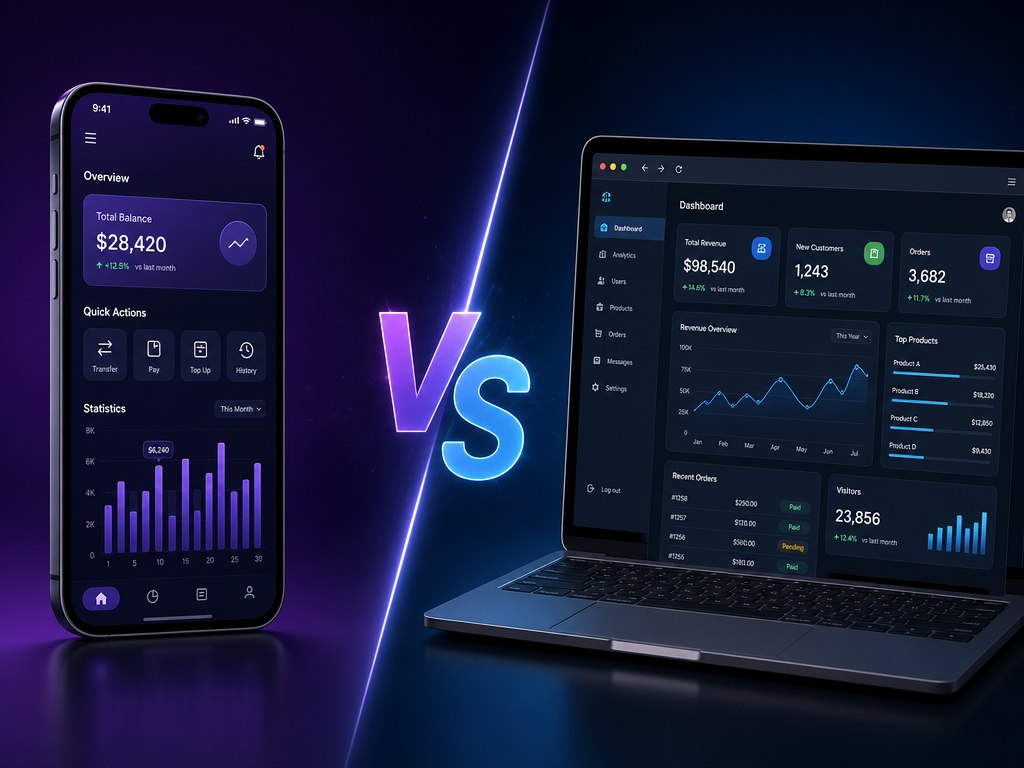
Every few weeks an owner tells us: “We need an app.” Ask why, and the answer is usually “competitors have one”. That is a poor reason to spend a budget. Here is how to choose between a native app, a web app and a PWA by five business criteria, and how to prove demand before you build the expensive version. Choosing a mobile app or web app for business is a decision about customers, not about technology.
Web app vs mobile app: three formats in plain words
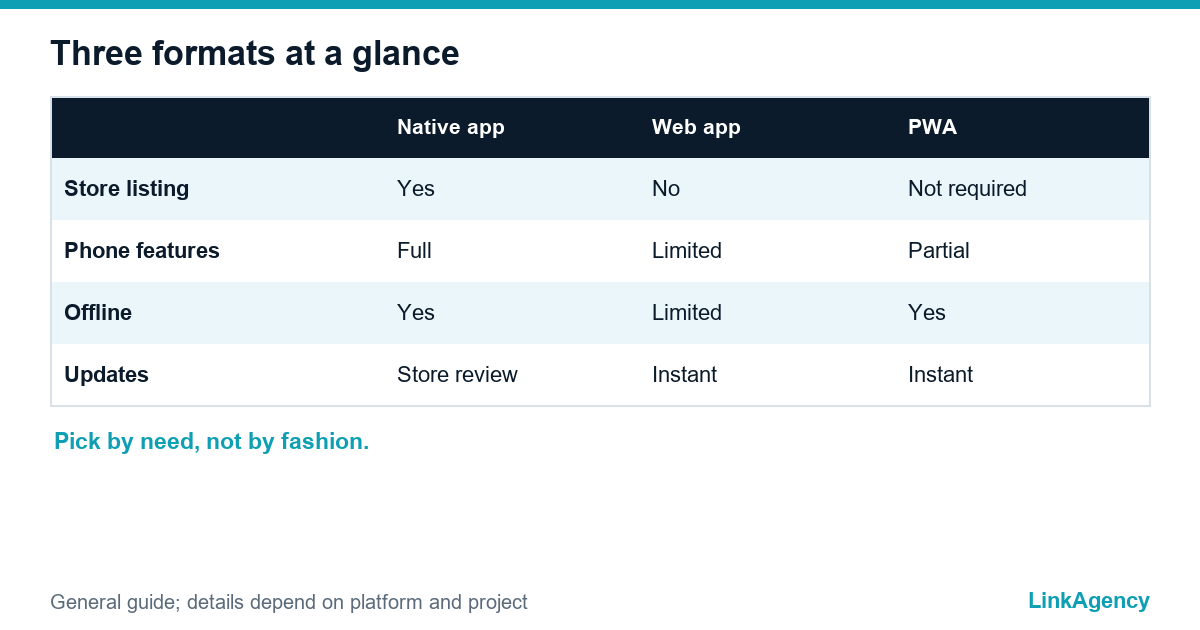
Native apps install from a store and use the phone fully. Web apps run in the browser and need no installation. The third option, a PWA, is a web app that can be added to the home screen and work offline; MDN describes it as a web app with a service worker and a manifest. Our mobile app development services cover all three, so the choice below is not a sales pitch.
Five criteria: web app or mobile app?
| Criterion | Question to ask | Leans to |
|---|---|---|
| Frequency of use | Do people open it weekly or yearly? | Daily use favours an app |
| Phone features | Do you need camera, GPS or Bluetooth? | Heavy use favours native |
| Getting customers | Do they arrive from search or links? | Search favours web |
| Support | Who will maintain two platforms? | Small team favours web |
| Speed to launch | How soon must users see it? | Fast favours web or PWA |
One honest answer per row beats a long debate. Count which column wins. Mobile app vs web app is rarely a pure technology question; it is a question about how your customers behave, and a login area for clients is a typical web case, as in customer portal development.
When a web app is enough
Web app or mobile app? A web app is enough when people come rarely, arrive from Google or an email link, and do a simple job: book, pay, check an order. A mobile team can ship the web version first, because that app costs less and updates go live instantly. Build speed has changed too, as we explained in our piece on AI MVP development with Claude Code. In the web app vs mobile app debate, the browser wins more often than owners expect.
When you cannot do without a mobile app
Web app versus mobile app tilts to the phone when the product needs it. Choose an app when the product needs camera scanning, GPS tracking, Bluetooth or background work, or when customers use it every day. Remember that stores have rules: Apple’s App Store guidelines say an app should go beyond a repackaged website. If you need both iOS and Android on one budget, look at cross platform app development instead of two separate builds. Native vs cross platform app is a smaller question than whether you need an app at all.
Hybrid in short
One codebase, two stores. Slightly less polish, much lower cost.
When hybrid hurts
Heavy graphics, games and deep hardware work. Everything else usually survives it well.
Where a PWA shines and where it stops
A progressive web app suits content, catalogues and simple services: it installs from the browser, works offline for key screens and updates instantly. Limits exist. On iPhone, Web Push arrived in iOS 16.4 and only for web apps added to the Home Screen, so reach is narrower than with a native app. In a PWA vs native app choice, ask whether push notifications are central to your model.
Scenarios by industry: web app vs mobile app in practice
- Appointments and services: a web app with online booking, then a PWA.
- E-commerce: a fast mobile site first, an app once repeat buyers justify it.
- B2B customer portal: a web app, because staff work on desktops.
- Logistics and field work: native, for scanning, GPS and offline mode.
How to test demand with a minimal version
Start with the smallest version that does one job well, because every extra feature in version one delays the moment you learn whether anybody actually wants the product. Launch it to a small group of real users, following a website launch plan with owners and dates, watch what they repeat, and only then widen. This is how an MVP protects your budget, and our MVP development services follow exactly this path. Ask any mobile app development company three questions.
- What is cut from version one, and why?
- How will we measure demand after launch?
- What will the second platform cost us?
Vague answers mean vague budgets.

Web app vs mobile app: free consultation on your idea
We will run your idea through the five criteria and suggest the format of the first version. If a browser product is enough, our web app development services cover that too.
- A recommended format and a minimal scope.
The consultation is free, and we reply within one working day.

Frequently Asked Questions (FAQ)
Do I need a mobile app for my business?
Only if people use your product often or you need phone features such as camera or GPS. For occasional tasks, a good web app or a mobile-friendly site usually does the job at lower cost.
What is a progressive web app?
A web app that can be installed from the browser, work offline for key screens and update instantly. It runs in the browser, so no store listing is required.
Is a PWA cheaper than a native app?
Usually, because you maintain one codebase and skip store review. The saving shrinks if you need deep phone features, where native or cross-platform may be the better fit.
Should I build for iOS and Android at once?
Not always. Start with the platform most of your customers use, or choose cross-platform development to cover both from one codebase. Let your audience data decide.
How do I check demand before building a full app?
Launch a minimal version that does one job, give it to real users and watch repeat use. If people come back without prompting, widen the scope. If not, you saved the larger budget.
How do I ask LinkAgency to choose a format?
Describe your idea in the contact form on this page. We will run it through the five criteria and suggest a format and a minimal scope, usually within one working day.