A client asks for a price on Monday. The proposal is assembled by hand from an old file, prices are copied from the last project, someone must approve it, and it reaches the client on Thursday. By then a competitor has already sent theirs. Quote automation does not mean buying a program that writes offers by itself. It means turning the path from request to proposal into a short, repeatable process where software prepares the draft and a person decides. This guide describes the process in five links, and shows how automated quotes can work for a small team, shows what to automate and what to leave to people, how to choose the first service, and how to count the payback without made-up numbers.
Quote automation: what a slow proposal really costs
A slow proposal costs more than the hours spent on it, and the work starts with counting that cost. The client waits. Then the client compares and often chooses whoever replied first. Managers spend their best hours on copying instead of selling. Prices drift between projects, so two clients get different numbers for the same work. Write down how long a typical proposal takes from request to send, how many people touch it and how often it goes out with an error. Those three numbers are your baseline, and every step where you automate quotes should move one of them.
Where time is lost when preparing a proposal
- The request arrives by email, chat and phone, with missing details every time.
- Without quote generation software, the old file is copied, and parts of the previous client’s text stay inside.
- Prices are searched in old projects instead of one list.
- Approval happens in messages, so nobody knows who has the file.
- The sent proposal is forgotten, and nobody reminds the client.
Find the longest wait before you automate quotes
Measure the gaps, not the work, before you automate quotes. In most teams the delay is waiting for details or for approval, not typing. That tells you where to start.
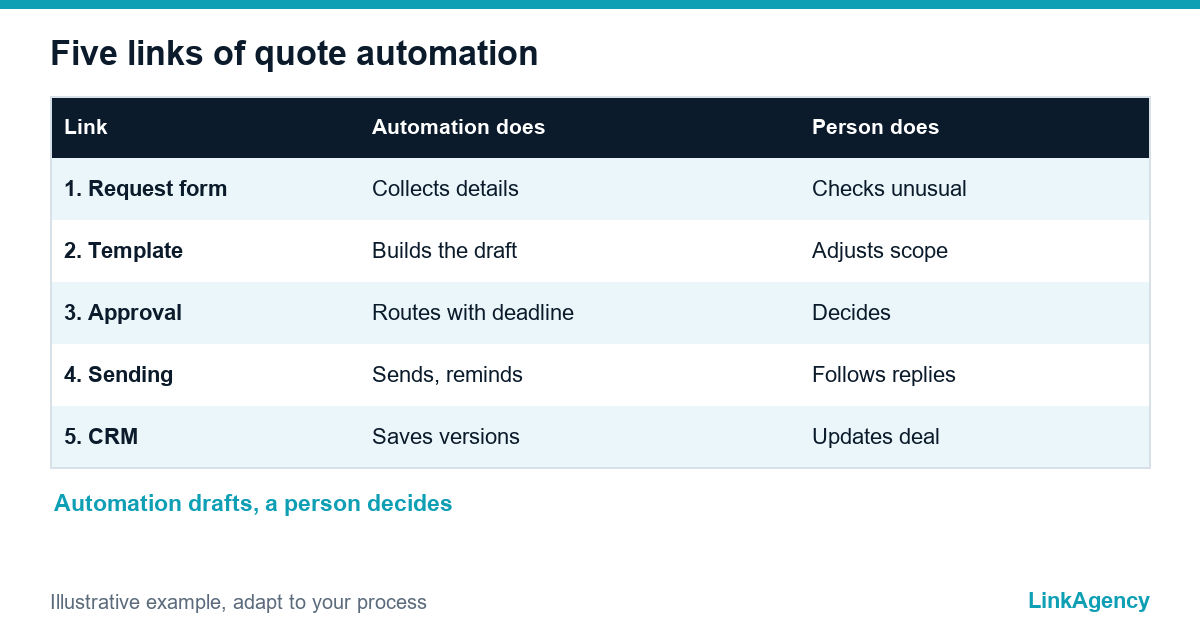
A process in five links: request, template, approval, sending, CRM
| Link | What it does | What a person does |
|---|---|---|
| 1. Request form | Collects the same details every time | Checks unusual requests |
| 2. Template with blocks | Builds a draft from standard work blocks and one price list | Adjusts the scope |
| 3. Approval | Sends the draft to the right approver with a deadline | Approves or edits |
| 4. Sending and reminder | Sends the proposal and reminds the client | Follows up on replies |
| 5. CRM history | Saves versions, status and the next step | Updates the deal |
Each link is small and can be built alone, which makes proposal automation easy to start. Together they are how you automate sales proposals without losing control. Automating quotes in small pieces keeps risk low. Proposal automation works when a person still owns the price, and the whole system fails when nobody does.
What to automate and what to leave to a person
The automation should prepare the quote draft, and a person decides. That is the core of automated quoting. Automate the repeated parts: the request form, filling client data, pulling prices from one list, building the document from blocks, sending, reminders and saving to the CRM. Leave to people the scope for unusual work, even when you automate sales proposals end to end, discounts, risks and the final yes. A proposal that goes out with a wrong price because nobody looked is worse than a slow one. A simple rule helps: anything above a set value or outside the standard blocks needs a human review.
Where to start: choose one service and build standard work blocks
- Choose the service you sell most often for automated quotes, so the effort pays back quickly.
- List its typical work blocks, such as audit, setup, training and support.
- Attach a price or a pricing rule to each block, with a note on when it applies.
- Write a standard text for each block in plain language.
- Test the template on three past proposals and compare with what was actually sent.
Do one service first to automate quotes safely, and add the next only after the first runs smoothly. Blocks also make faster client quotes easier, and automated quotes depend on them, because a manager picks blocks instead of writing from scratch.
Which tools fit: ready services or your own integration
A ready quote generation software service is enough, and a quoting tool inside the CRM is often the cheapest start of automated quoting. It is enough when your pricing is simple and your CRM already has a quote feature. It gets you running in days. A custom workflow integration makes sense when pricing depends on rules, several systems must stay in sync or the document has to follow your exact structure. Document templates can also be filled from a form or spreadsheet with scripting, as described in Google’s Apps Script guide to Docs. Our comparison of Zapier vs custom integration helps to choose. For the follow-up after sending, see our guide to lead follow-up automation.
How to calculate payback on your own data
- Time from request to send, before and after.
- Hours your managers spend per proposal, multiplied by their cost and the number of proposals.
- Share of proposals that got a reply, before and after.
- Errors found after sending.
To automate quotes with confidence, use your own figures from a month of work, not a vendor’s average. Short and honest. Client details in proposals are personal data, so keep access limited and storage clear under the GDPR, and ask a lawyer about retention in your country.
A 30-day launch plan for quote automation
- Days 1 to 7: measure the baseline and choose the first service.
- Days 8 to 14: build the request form, work blocks and price list, the base of automated quoting.
- Days 15 to 21: connect approval, sending and the CRM, and test on past cases.
- Days 22 to 30: run it live on one service and compare with the baseline.

Free review of your path from request to proposal
This is a free process review: we map your steps from request to sent proposal and show which ones to automate first. Our business process automation team can build the process around your CRM.
Quote automation: a free review of your request-to-proposal chain
A free process review: we map the chain from request to proposal and show which steps to automate first, with a plan for the first month. No obligation.
- map of the chain from request to proposal;
- steps to automate first and a 30-day plan.
Leave a request and we will reply within one working day.

Frequently Asked Questions (FAQ)
What is quote automation for a small service business?
A short repeatable process where a form collects the request, a template builds a draft from standard work blocks, approval and sending are routed automatically and the history lands in the CRM. A person still decides the price.
Which part of a proposal should stay manual?
The scope for unusual work, discounts, risks and the final approval. Automation prepares the draft, and a person owns the decision.
How do I choose the first service to automate?
Take the one you sell most often. List its typical work blocks, attach prices or pricing rules and test the template on three past proposals.
Do I need special software?
Not always. A quote feature in your CRM or a ready proposal tool is enough for simple pricing. A custom integration helps when pricing rules are complex or several systems must stay in sync.
How do I calculate payback without made-up numbers?
Measure the time from request to send, hours per proposal, reply share and errors for a month before and after. Use your own data, not a vendor’s average.
Is client data in proposals covered by GDPR?
Yes, names and contact details are personal data. Limit access, define storage and retention and confirm the wording with a lawyer.
How can LinkAgency help with proposals and quotes?
Leave a request with a sample of your proposal process. We run a free review of the chain from request to proposal, show what to automate first and outline a 30-day plan.