Traffic reaches your catalogue, yet few visitors add anything to the cart, and part of that journey can now start in the Google Universal Cart. Often the cause sits on the page, not in the ads. This guide to product page design covers nine elements a buyer checks in about ten seconds, with a sign of trouble in analytics for each. Use it as a product page checklist before you rebuild anything.
Product page design: what a buyer decides in the first seconds
A visitor asks one question: is this the right item, and can I trust this shop? Each element answers it or adds doubt. Nielsen Norman Group’s guidelines for ecommerce product pages show that shoppers rely on them to decide what to buy, and a missing answer sends them to a competitor.
These product page best practices begin with a ten-second test. Show a page to a colleague and ask what it is, what it costs in total, when it arrives and what happens if it does not fit.

Photos, video and scale: remove doubt early
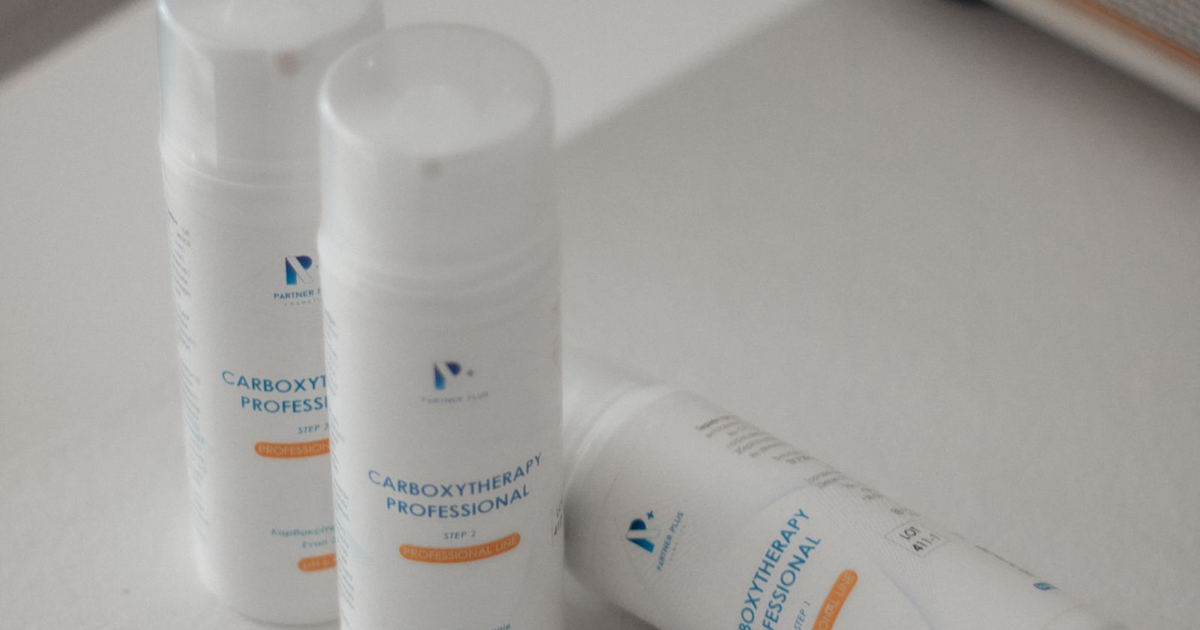
Photos replace touch. That is the point. Show several angles, the item in use and something familiar for scale. Ecommerce product images must also load fast, so compress them and write plain alt text. A short video helps where size or movement matters.
Title, description and specifications in the buyer’s words
Write the title as a shopper would type it: brand, type, one key feature. Answer common questions early and keep specifications in a table that is easy to scan. A clear product detail page avoids supplier codes. Plain facts keep people reading. If your template blocks these edits, ecommerce development services can rebuild the product page layout and leave the catalogue untouched.
Write for benefits as well as features. A feature says what the item has, a benefit says what it changes for the buyer: “waterproof fabric” becomes “stays dry through a week of rain”. Use short paragraphs and bullet points, put the strongest benefit first and describe the situation the buyer cares about. Do not copy supplier text, because identical descriptions on many sites give search engines no reason to prefer yours.
Price, taxes, delivery and returns without a click
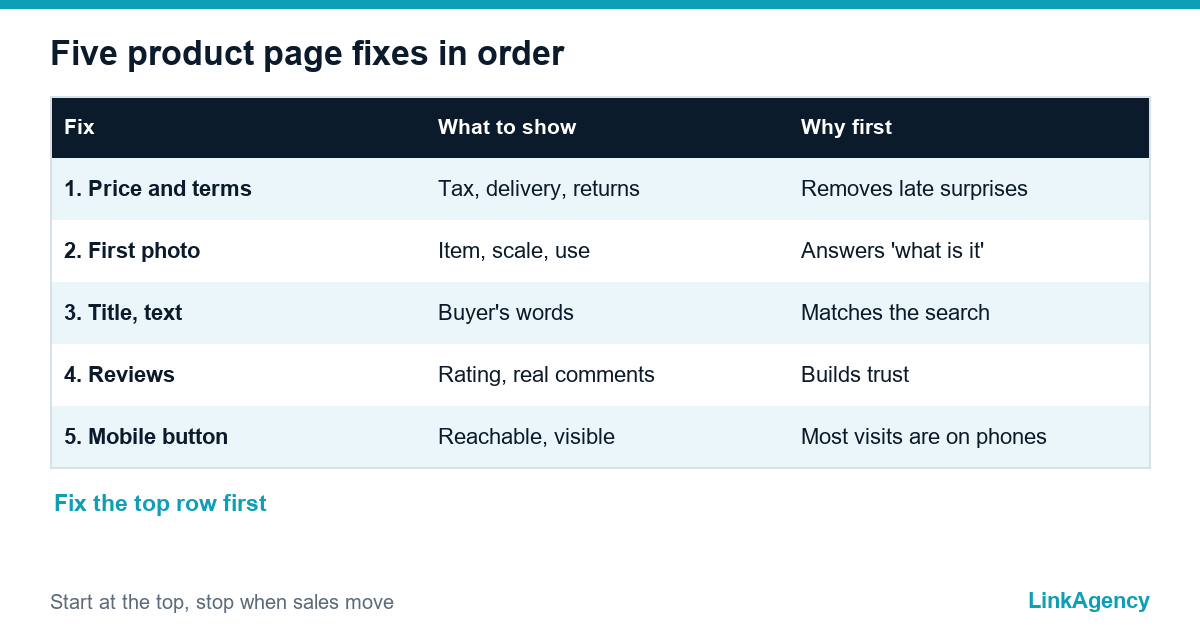
In the EU the Consumer Rights Directive requires the total price with taxes, delivery costs and the 14-day right of withdrawal before purchase. US rules differ by state, but buyers ask the same questions. A sound design of a product page shows these next to the buy button:
- the total price with taxes, or a clear “plus VAT” note for business buyers;
- delivery cost and an expected date range;
- the return window and who pays for the return;
- stock status and payment methods.
Reviews, ratings and trust: show them honestly
Show the average rating with the number of reviews, and keep critical ones visible. A page with only five-star praise looks edited. Place trust signals near the buy button on every product detail page: secure payment icons, an address, contacts. Never invent testimonials, because fake reviews are prohibited in the EU and the UK. Every product needs a page whose design answers the buyer’s doubts before payment, and that includes the small print on delivery, returns and taxes, readable on a phone screen without zooming.
Buy button, stock status and mobile product page design
Keep one primary button with high contrast and a label that states the action, and check contrast and alt text against website accessibility requirements. Put availability beside it. Simple. On mobile, make the button reachable with a thumb and avoid pop-ups that cover it. Accessible design for product pages matters too: the European Accessibility Act covers ecommerce services in the EU from 28 June 2025, and ADA-based claims are common in the US. Start with contrast, keyboard focus and form labels. A clear button cannot save a broken payment step, so read about cart abandonment and checkout mistakes as well.
Search visibility: URL, structured data and alt text
A product page also has to be found, and the page layout is part of what search engines read. Use a short, readable URL, a title that matches how people search and breadcrumbs that show where the item sits in the catalogue. Add Product structured data covering name, image, price and availability, plus rating, so search engines can show price and stock in results. Write alt text that describes the picture, and keep Open Graph tags so a shared link shows the right photo and price. Good ecommerce product images with clean file names support product page best practices for search too.
Variants, related products and sold-out items
Shoppers compare before they buy. Show colours and sizes as clear selectors, with the price and stock changing as they choose, and in a sale show the old price, the sale price and the end date the same way everywhere, as the Black Friday checklist advises. Place related and alternative items lower on the page, so a buyer who is not convinced stays in your shop. When products differ in a few clear specifications, a short comparison table helps, which is also what NN/g advises for helping users compare.
Do not delete the pages of sold-out items. Keep them, mark them unavailable, add a notify-me form and link to alternatives, so the page keeps its value in search and the visitor keeps a path forward.
Questions, answers and user content
Add a short block of questions and answers close to the description. Real questions from chat and email are the best source, and every repeated question is a gap in the text above it. Photos and short videos from customers in reviews add proof that no studio shot can give. Moderate them, keep the critical ones and never write them yourself.
Product page optimization: check analytics, then fix in order
Take your ten busiest pages and compare views, the add-to-cart rate and the exit rate. A low rate with high exits means a missing answer on the page. Treat product page design as a regular check, not a one-off redesign. Product teams often ask which page deserves the first design hours: the one with most traffic and weakest add-to-cart rate.
Nine elements to check
| Element | Buyer’s question | Sign of trouble |
|---|---|---|
| 1. Main photo | What is it? | Exit in the first seconds |
| 2. Gallery, video | How big, how made? | Few gallery clicks |
| 3. Title | Is it my item? | Low clicks from listings |
| 4. Description | Does it fit my need? | Many chat questions |
| 5. Specifications | Exact size, material? | Returns “not as described” |
| 6. Price with tax | What do I pay in total? | Drop-off when extras appear |
| 7. Delivery, returns | When, and can I send it back? | Shipping page visit, then exit |
| 8. Reviews | Do others trust it? | Weak sales on new items |
| 9. Buy button | Where do I click? | Few button clicks on mobile |
Fix in this order
- Price, tax, delivery and return information.
- The first photo and the gallery.
- The title and the first lines of the description.
- Reviews and the trust block.
- The mobile button and page speed.
Titles and structured data also affect search, so involve SEO specialists: product page designs that ignore search lose traffic.
Order a product page audit from LinkAgency
Let us review your product page design before you rebuild. We take your ten busiest pages, check them against the nine elements and send a ranked list of fixes.
- a review of photos, text, price and trust blocks;
- a mobile and accessibility check;
- a plan with priorities and effort.
Send a request and we reply within one working day. If the fixes need code, hire ecommerce developers who read your analytics first.

Frequently Asked Questions (FAQ)
How long does a product page check take?
A first pass with this product page checklist on ten pages takes about a day if analytics access is ready. Most of the time goes into reading the data, not into opening the pages.
How many photos does a product page need?
There is no fixed number. Cover the main angles, one use scene and one image for scale, and add video when size or movement raises doubts.
Should the price on the page include VAT?
For consumers in the EU, yes: the total price with taxes must be shown. For business buyers a clear ‘plus VAT’ note is common if it sits next to the price.
Where should delivery and return terms go?
Next to the price and the buy button, with a link to the full policy. Buyers should not open another page to learn the cost and the return window.
Which product pages should I fix first?
Start with pages that combine high traffic and a low add-to-cart rate. Fixing five such pages usually teaches more than editing the whole catalogue.
Can LinkAgency fix product pages on my platform?
Yes. We audit your busiest pages, agree a priority list and apply product page optimization on Shopify, WooCommerce or a custom store. Send a request and we reply within one working day.